Weight 241g
Thickness 7.9mm
Thickness 7.9mm
by Lee Eunseo
by Choo Myeonghoon
Published 20 Mar.2026 09:43(KST)
Updated 20 Mar.2026 09:45(KST)
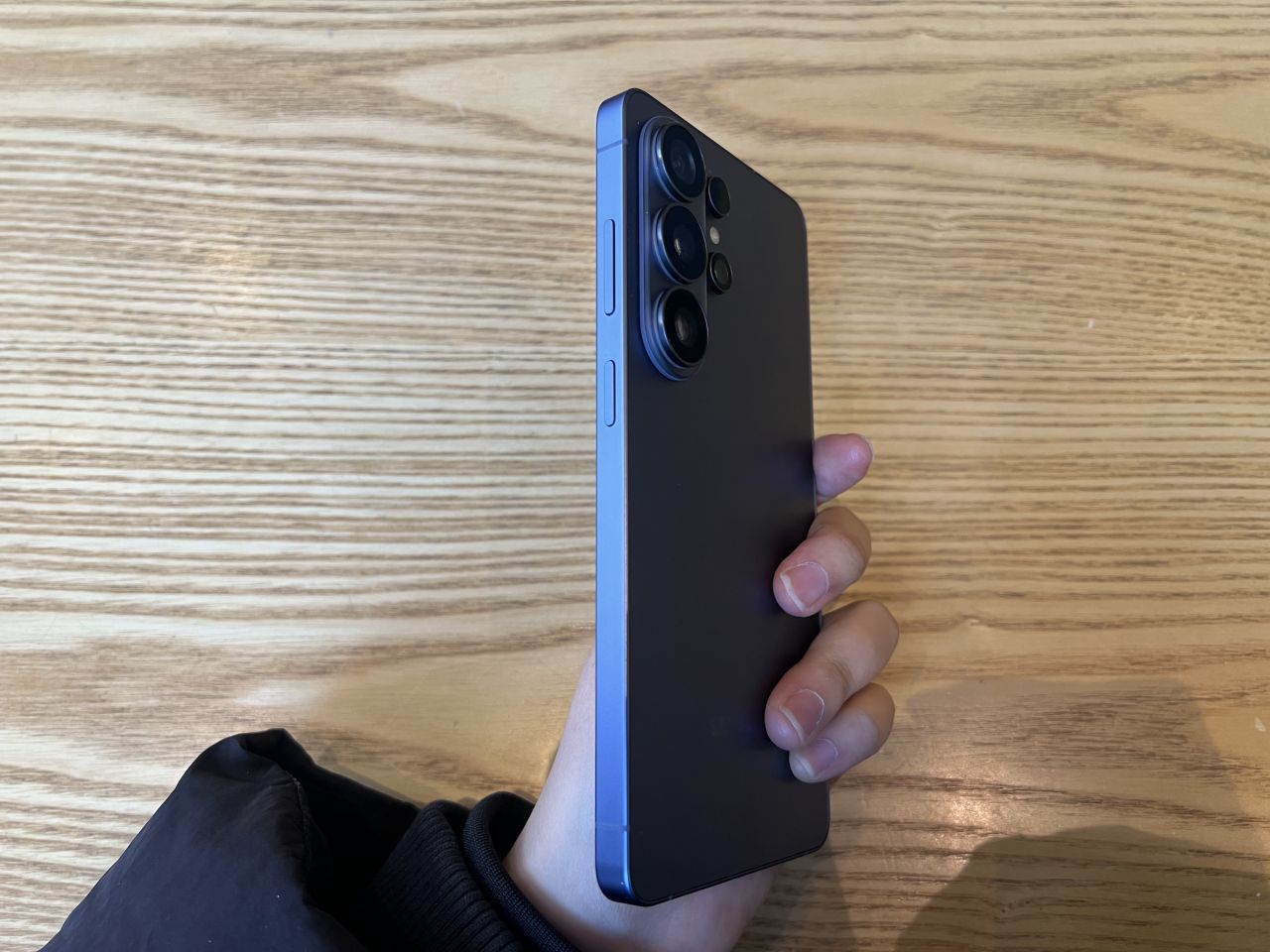
The first thing I noticed was the slimmer, sleeker grip compared to its predecessor. The curvature of the corners is greater, making it comfortable to hold for long periods. The device is 4g lighter at 241g, and its thickness has been reduced by 0.3mm to 7.9mm—making it the thinnest Ultra in the series to date. On the back, a vertically arranged pill-shaped camera island stands out, owing to the larger apertures in both the main camera and the 5x telephoto camera compared to the previous generation.
The battery now supports ultra-fast charging, easing any concerns about downtime. Wired charging supports up to 60W, while wireless charging goes up to 25W. When I plugged it in, a message appeared stating that the 10% charged battery would be fully charged in 46 minutes, and after 20 minutes, it reached 67%.
Even when watching videos with the phone held horizontally, the display blocks prying eyes from people around you. When I compared it with a privacy film on my own phone, the film started blocking visibility at a 45-degree angle, but the S26 Ultra's display became invisible from as little as 20–30 degrees. This feature is achieved through a hardware design called “Flex Magic Pixel,” which uses pixel-level barriers to direct light in specific directions. When the display feature is enabled, it focuses the light using “narrow pixels” to block the view from different angles.
Notably, privacy display can be toggled on or off for each app through “auto-on conditions,” enabling personalized protection. You can apply it only to certain situations, such as app screens, password input windows, or notification pop-ups. For example, when enabled only for Instagram, every time a direct message (DM) notification appeared at the top, it was immediately blacked out. For even greater privacy, the “Enhanced Privacy Protection” feature can be turned on, although the main screen appears blurry when this is used.

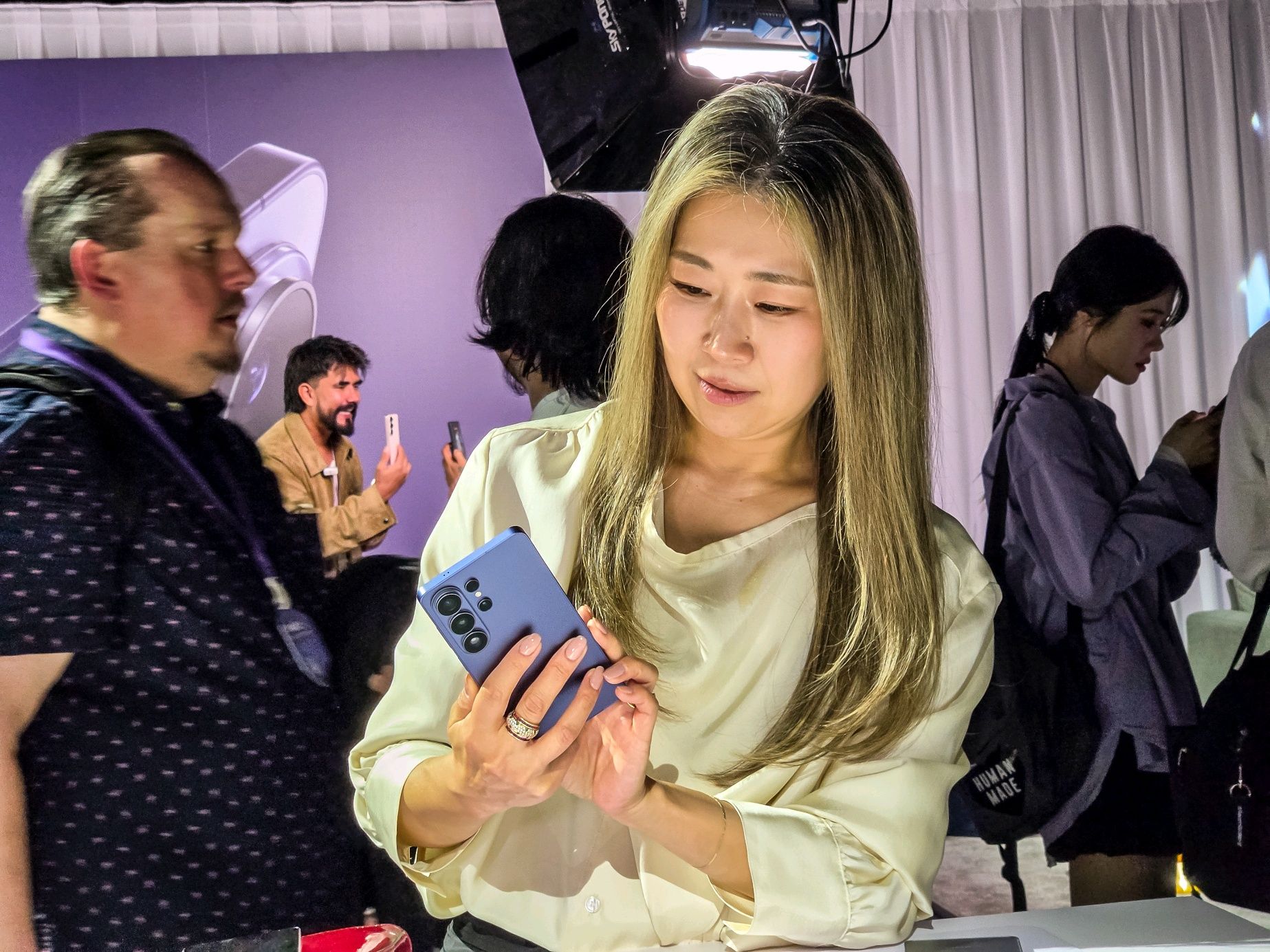
Samsung Electronics CEO Tae-moon Roh (Head of DX Division) and SK Telecom CEO Jae-heon Jung took photos with the Galaxy S26 Ultra at the Samsung Electronics booth during the Mobile World Congress (MWC) 2026 held on the 2nd (local time) at Fira Gran Via Exhibition Center in Barcelona, Spain. Photo by Yonhap News.
원본보기 아이콘The standout camera feature is the newly added “Horizontal Super Steady.” This goes beyond the conventional “Super Steady” stabilization and keeps videos steady even if the phone tilts horizontally. By analyzing the shooting screen with gyroscope and accelerometer sensors, the device automatically maintains a level shot.
Staying true to the core value of “AI that anyone can use easily and intuitively,” the essence of the S26 is its AI accessibility.
The app screen features Bixby, Perplexity, and Gemini. By holding down the button at the top right, Gemini can be called up for voice instructions. In addition, AI features are embedded in the cloud, calendar, and gallery, providing a seamless AI experience at the operating system (OS) level, beyond just individual apps.
It was especially convenient that the AI agent could handle certain tasks on behalf of the user. When I told Bixby, “Book me a taxi to Gwanghwamun Station,” an Uber screen instantly appeared with the starting and destination points and the estimated fare. With just a tap to pay, the taxi could be called. Through the Gemini beta version for task automation, Uber, Kakao T, and Baemin (Baedal Minjok) apps can be used to place orders. In Baemin, the AI considered detailed food names and store information to make orders just as the user wanted.
With the S26, AI has firmly established itself as an “everyday assistant,” managing users throughout their screen time without the need to launch separate apps. The “Nownudge” function made this especially apparent. Whenever I sent a message, a blue star-shaped icon lit up and automatically generated replies. It recommended responses in assertive, flexible, or cautious tones, and once a schedule was set, it was automatically added to Google Calendar. The “Now Brief” function, which remembers and reminds you of registered events, was also very useful. By analyzing emails and notifications, it even informs you of appointments or reservations that you haven’t entered yourself.
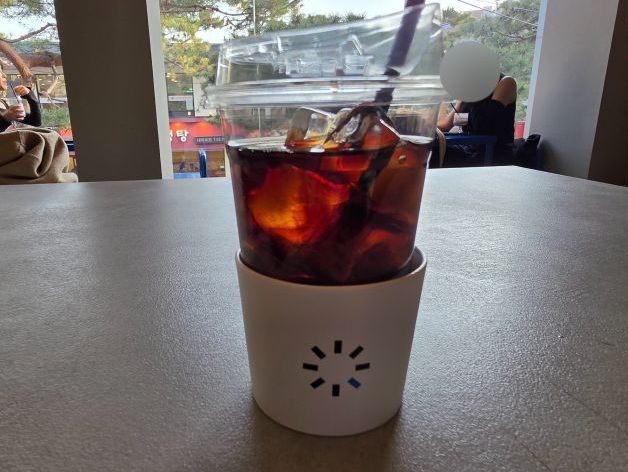
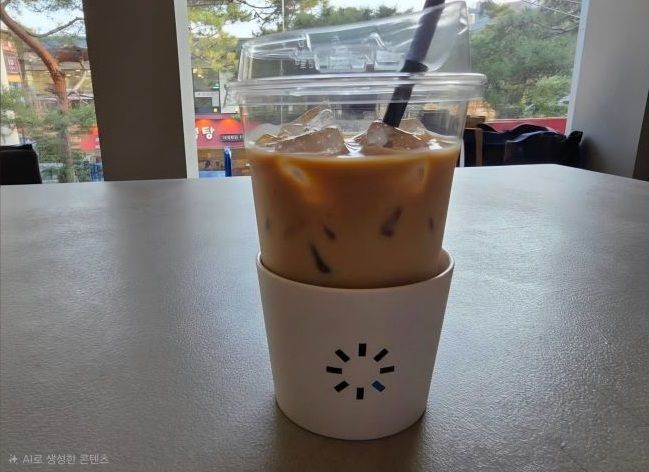
The AI in the Galaxy S26 also acts as a photo editor. With simple text instructions, it can produce edited results in less than 10 seconds—what could be called “Vibe Photoshop.” For example, when I instructed it to “change the Americano in the cup to a latte,” it naturally edited the image, preserving the texture of the ice and the cup. Without having to manually select the area to remove (as in traditional Photoshop), the AI automatically erased people from the background.
The creative studio allows you to create your own emojis. After selecting a photo of a pet and choosing from styles such as animation, cute, or pixel, a set of adorable emojis was generated. Once saved as an emoji, they could be freely used from the keyboard like any other emoji, adding variety to messages. In addition, you can create templates for cards, invitations, and more.
From a design perspective, the so-called “camera bump” (protruding camera) was a downside. When placed on a flat surface such as a café table, the phone wobbled and was inconvenient to use. This was an unavoidable inconvenience due to the newly added camera island compared to previous generations.

A citizen is comparing Samsung Electronics' smartphone 'Galaxy S26 Series' at the Samsung Gangnam Store in Seocho-gu, Seoul, on the 11th, when it was officially released. Photo by Yonhap News
원본보기 아이콘The features that showed potential in this device would benefit from further expansion in the future. Especially as the AI agent’s automatic work functions—like calling taxis and placing delivery orders—are still in beta, there is potential for broader compatibility with various apps down the line.
The AI agent currently cannot handle tasks such as searching for airline tickets, which require multiple searches due to high price volatility. It would also be beneficial if the privacy display could be toggled based on environmental factors such as crowd density or location, or controlled in more detail for individual contacts. Since there’s little reason to use the feature at home compared to public places, users still need to manage it manually.
Lee Eunseo libro@asiae.co.kr
Choo Myeonghoon chox2mh@asiae.co.kr
© The Asia Business Daily. All rights reserved. Unauthorized AI training and use prohibited.